Submitted by Deepesh Agarwal on Mon, 07/30/2007 - 09:14
Windows XP Task Manager (CTRL+SHIFT+ESC) has a not so widely known "no titlebar" view mode just double-click on the empty area on the right side of the tabs. Once it has switched views, you can switch back quickly by double-clicking anywhere on the border.
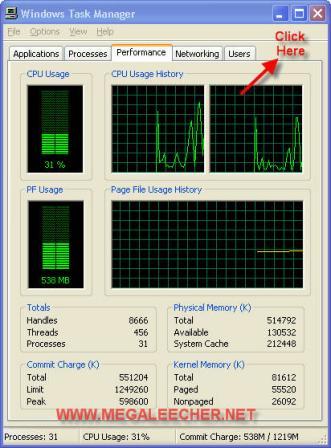
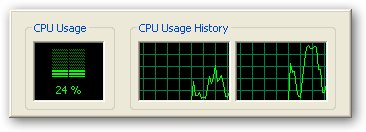
Switch to the Performance tab before activating this border-less mode and you will have a nice and simple CPU monitoring desktop widget without using any third-party application.
Also, most of the task manager users are unaware of the minimize to system tray option, just check the "Minimize On use" option from the options menu and whenever you minimize the Task Manager it will neatly sit into the system tray area and show you current CPU Usage.
Comments
Problem of minimizing
Hi
I am facing problem of auto minimizing of Installation program and task manager.
As soon as i run any installation program it automatically minimized.
Pleaes give me valid solution to overcome from the problem
Issue
Sir,
Is there any tool that could help my Shared LAN network to a intranet.Some of the common difficulties are very vulneralble to viruses. If one among the system gets infected simultaneosly it is spread throughtout the network. And i want to restrict some users from accessing all websites
nice one man
thanks for the infromatiom,
realy helpful whem mim. to tray
shows the process of the cpu.
any thanks
Add new comment