 Apple today announced release of the all new iPod Nano Chromatic and iTunes 8.0, Apple claims the new iTunes version to be equipped with Genius features with better ways to manage your digital entertainment.
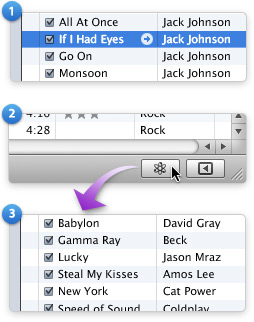
The new genius features in iTunes 8 let users discover new songs and create instant playlist of songs matching your current track, Simply, Play a song, Click the Genius button and iTunes will create a playlist of songs from your library that go great together, at the same time the new Genius Sidebar will display songs from the iTunes Store that go great with currently playing track.
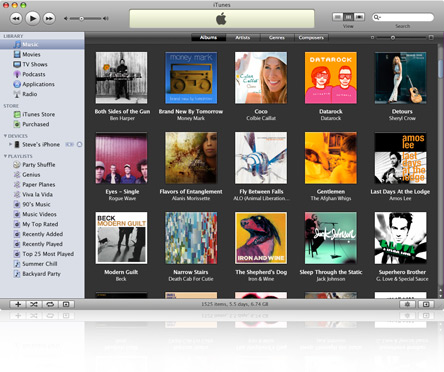
Another, new introduction is the iTunes library grid view, Select Albums in Grid View and iTunes 8 displays your entire music library using cover art. Select Artists, Genres, or Composers and iTunes automatically creates groups of albums based on your selection. Simply skim across a group to see the albums inside, and start playing an album with a single click.
Comments
bangjoss
ist the best
its verry very
its verry very kewl............
Add new comment